Your first plugin
This walk-through makes word_count: a tool the AI can call while it works, which counts the words in a piece of text. Whittl writes it, checks it and installs it. You describe it and switch it on.
1. Start a plugin project
File > New Project (Ctrl+N) and pick Plugin. Give it a name, choose Template, pick Tool: text in, text out, and press Create.
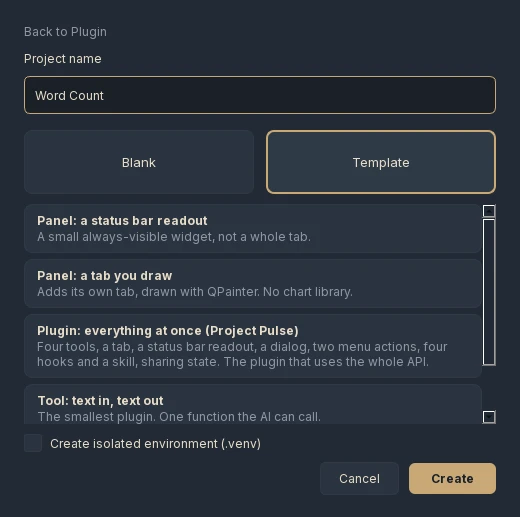
Blank works too: describe the plugin in the chat and Whittl writes it from nothing. The template is the quicker way to see the whole loop once.
2. Look at what you got
The project has two files. manifest.json describes the tool to the AI (its description, the arguments it takes, and two examples), and plugin.py does the work:
Two things in the manifest matter more than they look:
- The description is all the AI has to go on when deciding whether to call the tool. "Count the words in a piece of text. Use when the user asks how long something is." says what it does and when.
- The examples are run.
{"text": "a b c"}must give something containing3, and empty text must give0. They are the plugin's definition of done.
The plugin format page explains every field.
3. Change it by asking
Describe a change in the chat, the way you would for an app: "Also say how many lines the text has, and add an example for it." The AI edits plugin.py and the manifest. Any backend works, a local model included.
4. Test Run
Press Test Run. For a plugin project, Whittl does not start an app: it runs the plugin's own examples (and, for a panel, builds the panel in an invisible copy of Qt). When everything passes, it installs the plugin in your plugins folder, switched off, and says so in the chat:
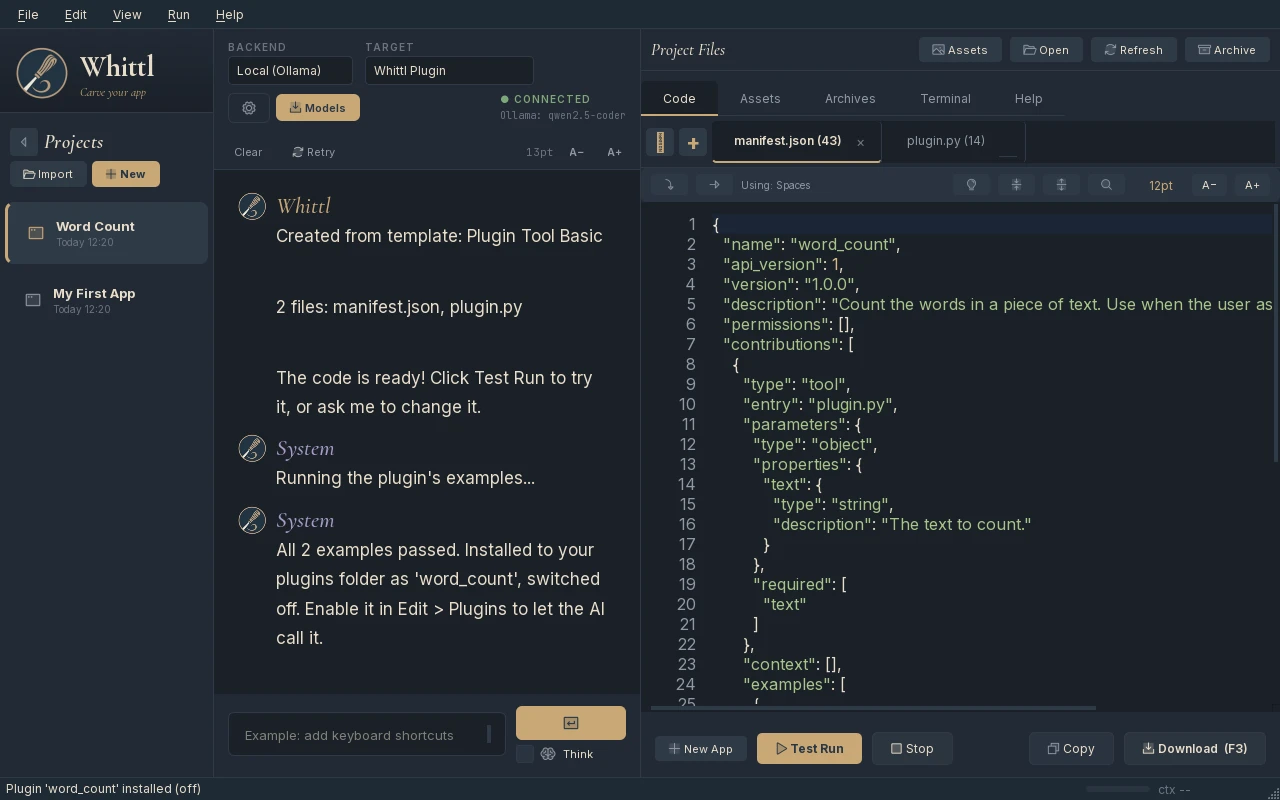
When an example fails, the chat names it and shows what came back, and nothing is installed. Ask the AI to fix it and press Test Run again. Each later Test Run that passes updates the installed copy.
5. Switch it on
Edit > Plugins > Manage Plugins.... Tick Enable plugins (the master switch), then tick word_count:
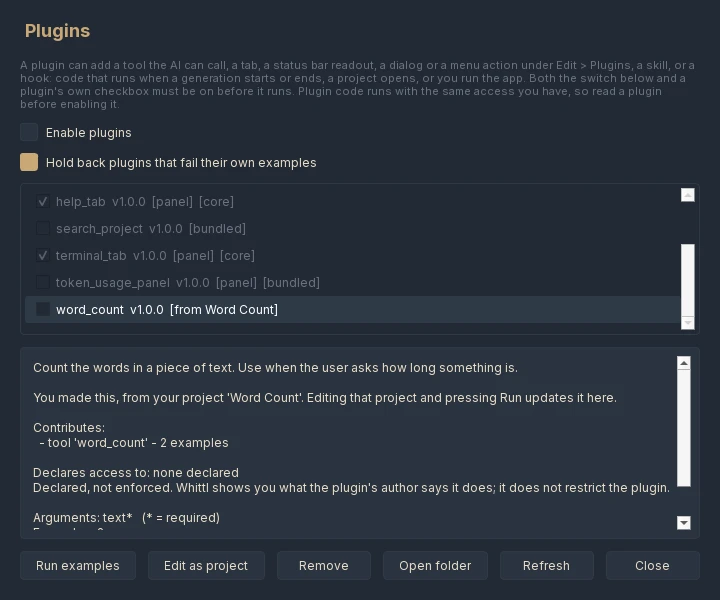
The details show exactly what the AI will read, what the plugin contributes, and the access it declares. The declaration is not enforced; read why.
6. Use it
Plugin tools are offered whenever the AI works on a project with its tools: building, changing, fixing. A question Whittl answers straight from the chat, and a review where you have asked for no changes, have no tools, so ask for work that needs the tool:
"Use word_count on README.md and put the count in the first line."
The first time the AI calls a plugin in a session, Whittl asks you in the chat. Choose Allow and it will not ask again this session. The tool shows in the chat as it runs, like any of Whittl's own tools.
What next
- Your first panel: a tab, a status bar readout or a dialog.
- Plugin examples: the other templates, and what they teach.
- Publishing a plugin: sharing it.