
WHITTL
A Python development environment with built-in AI assistance, one-click builds for Windows and Linux (plus experimental Android APK support), and a full-featured code editor. Write code, generate code, or both, and extend Whittl itself with plugins.
PLUGINS NEW
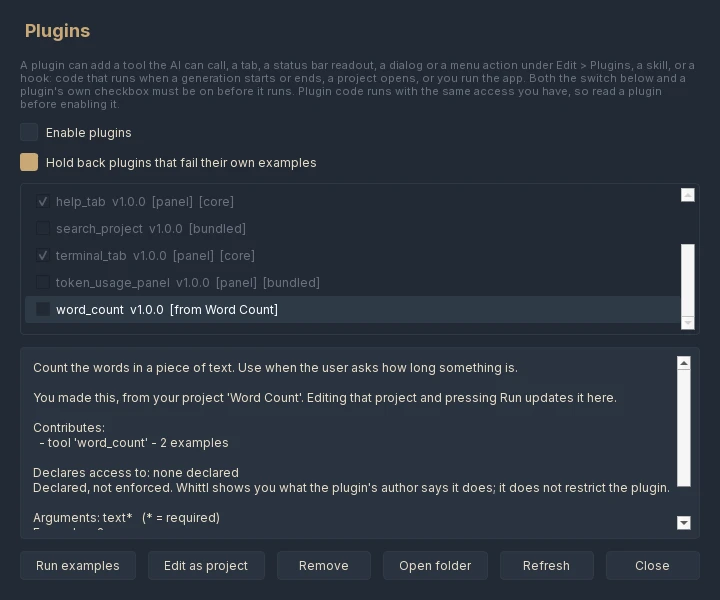
Add to Whittl itself. A plugin is a folder with a small manifest and a Python file. It can add a tool the AI calls while it works, a tab beside Code, a status bar readout, a dialog or a menu item under Edit > Plugins, a skill, or code that runs when a generation starts or ends, a project opens, or you run your app. Whittl's own Assets, Archives, Terminal and Help tabs are plugins built the same way.
- Whittl writes them for you: File > New Project, pick Plugin, and describe what you want
- Checked before anything runs: a tool's examples are run, and a panel is built first in an invisible copy of Qt, so a broken plugin is held back instead of crashing the window
- Plugins you add stay off until you switch them on, one by one, in Edit > Plugins
- Plugins you write are yours to share or sell under any license, and the templates and bundled plugins you start from are MIT No Attribution, so nothing from them needs crediting
- A full example plugin ships as a template, and the docs walk from a two-file hello world to your own tab
ONE AGENT FOR EVERY MODEL NEW
Every backend gets the same tools, and what a model is given depends on what it can do, not on who makes it. A cheap model, a local one and a frontier one all work on your project the same way.
- A model that calls tools works through your project step by step: it reads what it needs, makes targeted edits, runs your app and your tests, and fixes what it broke. Files stream into the editor as they are written
- A model that cannot call tools reliably writes short scripts instead, which make the same edits through a small, safe API, so smaller and local models can work on a project too
- The AI can look at a desktop app it built: it opens it invisibly, reads the window, clicks buttons, and can show you a picture of it in the chat
- Stop stops. A model stuck repeating itself is ended instead of watched, and a turn that keeps reading without learning anything new is stopped
- An overloaded or failing provider is retried and named as the cause, and a turn that fails partway keeps the edits it made instead of regenerating over them
THE WHITTL LAYER
Every other AI coding tool is a chat window over someone else's model. Whittl is the knowledge layer that sits between you and the AI — 75+ auto-fix rules, a curated skills library for PySide6, Flet, CustomTkinter, and general Python, oscillation guards, hard round caps, tool executors, and validators. The model writes the code; Whittl makes the model better at building Python desktop apps.
That layer compounds with use. Every auto-fix rule learned from a real bug. Every skill written from a confirmed pattern. The AI model lineup changes monthly — Sonnet, GPT-5, DeepSeek V4, Qwen3.5 Plus — the knowledge layer keeps Whittl's output consistent and reliable across all of them.
- 75+ auto-fix rules covering Qt scoped enums, Flet hallucinations, PyInstaller resource paths, deprecated APIs, hallucinated class names, and dozens more — Whittl catches and rewrites what the AI gets wrong before the code ever fails
- Skill library auto-injected based on your project's framework — PySide6 patterns for desktop apps, Flet mobile rules for Android builds, threading rules for both
- Oscillation guard + 5-round cap prevent runaway autofix loops that would otherwise burn tokens forever on the same error
- Validators catch bad code before it reaches your project — duplicate marker handling, file truncation detection, structural diff guards
- Built-in skills for QPainter drawing, named visual styles, games, tables, files and drag and drop, settings that survive a restart, serial ports and 3D with Qt3D, every rule checked on the real libraries before it was written
- When the AI catches and fixes its own mistake before finishing, the lesson goes into the auto-learned library, just as auto-fixes do
- Compatible with Claude Code skills: skill folders written for Claude Code are read the way Claude Code stores them, alongside Whittl's own library
IMAGE → APP
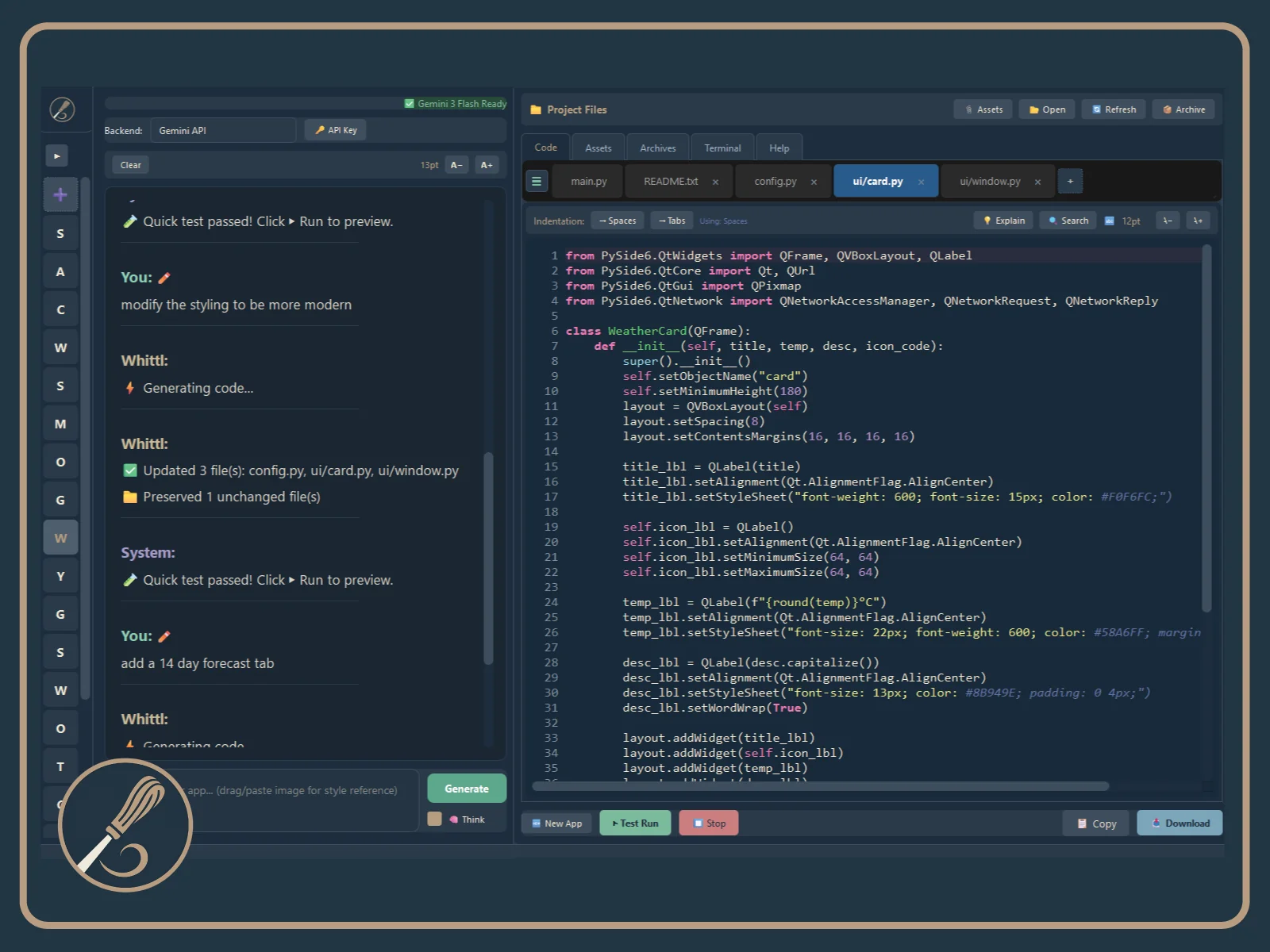
Drop a screenshot of any UI into Whittl and get a native Python app. A Figma mock, a web app you want to run locally, your own music player you're tired of configuring. Every other AI coding tool outputs more web. Whittl uniquely converts design references into runnable software you own.
- Drop or paste one screenshot or several into a message
- Works with any vision-capable model on any backend, local Ollama vision models included. A model that cannot read images gets a description from one that can
- The pictures reach the AI on every turn of the conversation and every tool round, not just the first message, so it sees your reference while it builds
- Each picture shows as a thumbnail before you send, removable, and in the chat afterwards; click one to see it full size. Pictures survive a restart
DEVELOPMENT TOOLS
- Code editor with syntax highlighting, AST-powered code folding, autocomplete, and bracket auto-pairing
- Real-time error detection (pyflakes) with inline error indicators
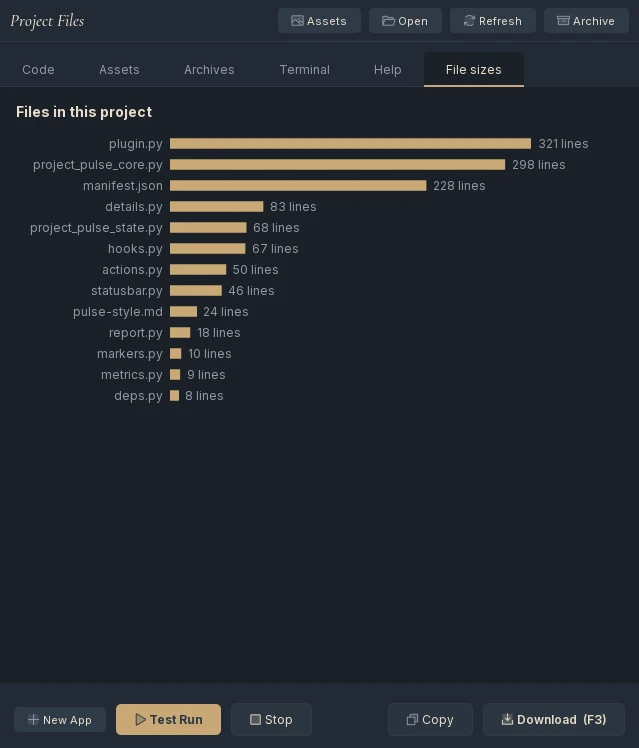
- Multi-file project management with tabbed editing and line count tracking
- Smart file routing — keyword search + AI selects the right files in large projects
- One-click builds — Windows .exe, Linux AppImage, Android APK, and setup installers
- Explain mode — highlight any code and get a plain-English explanation
- Undo/history — roll back bad generations to any previous state
- Multi-file search across your entire project
- In-app auto-updater — Download → Restart to install, with SHA-256 checksum verification, no browser hop
- Real .py files on your disk — open in any editor, version with git, own forever
- Edit project files in another editor, or with another AI tool, while Whittl is open: your changes and new files are kept, not overwritten
- Works on Windows 10 and 11, and on Linux (the AppImage runs on Ubuntu 22.04, Linux Mint 21, Debian 12 and newer)
AI ASSISTANCE
- 5 targets: Desktop (PySide6), Mobile (Flet), Basic (CustomTkinter), General Python (CLI tools and scripts), and Whittl Plugin
- Conversational AI — ask questions, get explanations, iterate on your code through chat
- 5 AI backends — Claude, DeepSeek, Gemini, OpenRouter (200+ models, free ones included), or fully offline with Ollama
- Smart editing — the AI changes only the lines that need to change, dramatically faster and cheaper than rewriting whole files
- Self-healing autofix: when your app crashes, the AI reads the traceback, fixes the code and re-runs the app, up to three attempts after a generation and one when it crashes while you are using it
- Web research: the AI can search the web, read pages and save the files it needs while it works (Agent Mode)
- Test gate: if your project has tests, they run after the AI says it is done, and anything the change broke is reported before you see "done"
- Built-in cost cache — multi-round conversations reuse context so your API bill stays small
- Know what you are paying: a running cost readout, a gauge for how full the model's context window is, and an optional Usage tab that charts spending by day and model
- 75+ auto-fix rules catch common mistakes — hallucinated APIs, deprecated patterns, missing imports
- Context memory — the AI remembers your earlier conversation instead of forgetting after a few messages
- Bring your own API key — no middleman markup, no message limits, no monthly quotas
MOBILE BUILDS EXPERIMENTAL
Mobile APK builds are currently experimental. They work but may need troubleshooting on some devices. Desktop builds (Windows/Linux) are stable and production-ready.
- Build Android APKs with one click — no Android Studio, no Java, no Gradle
- Device format selector — Phone, Tablet, or custom dimensions
- One-click install to device via USB
- Pure Python APK signing — all build tools downloaded automatically
SCREENSHOTS
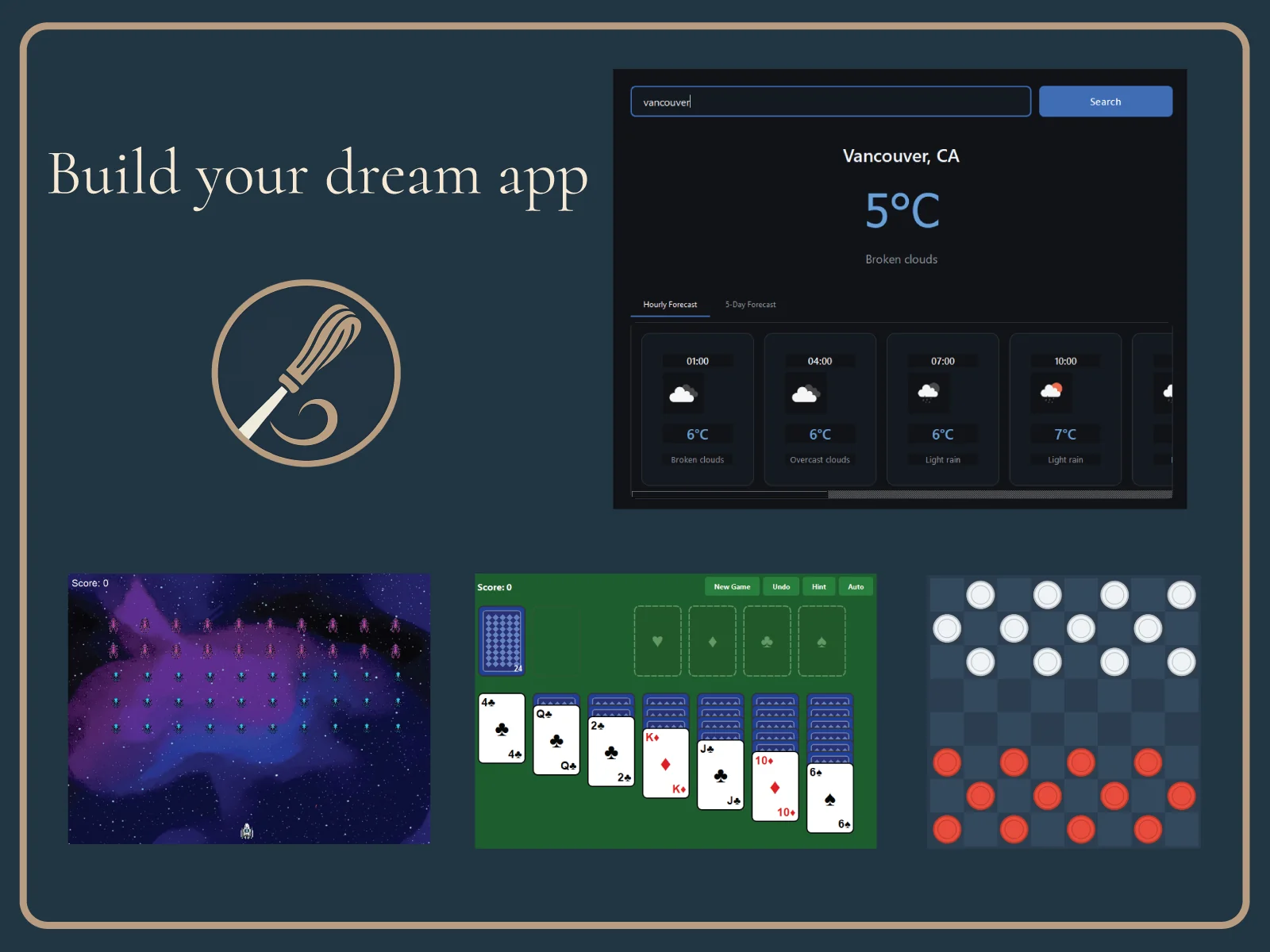
MOBILE APP OUTPUT
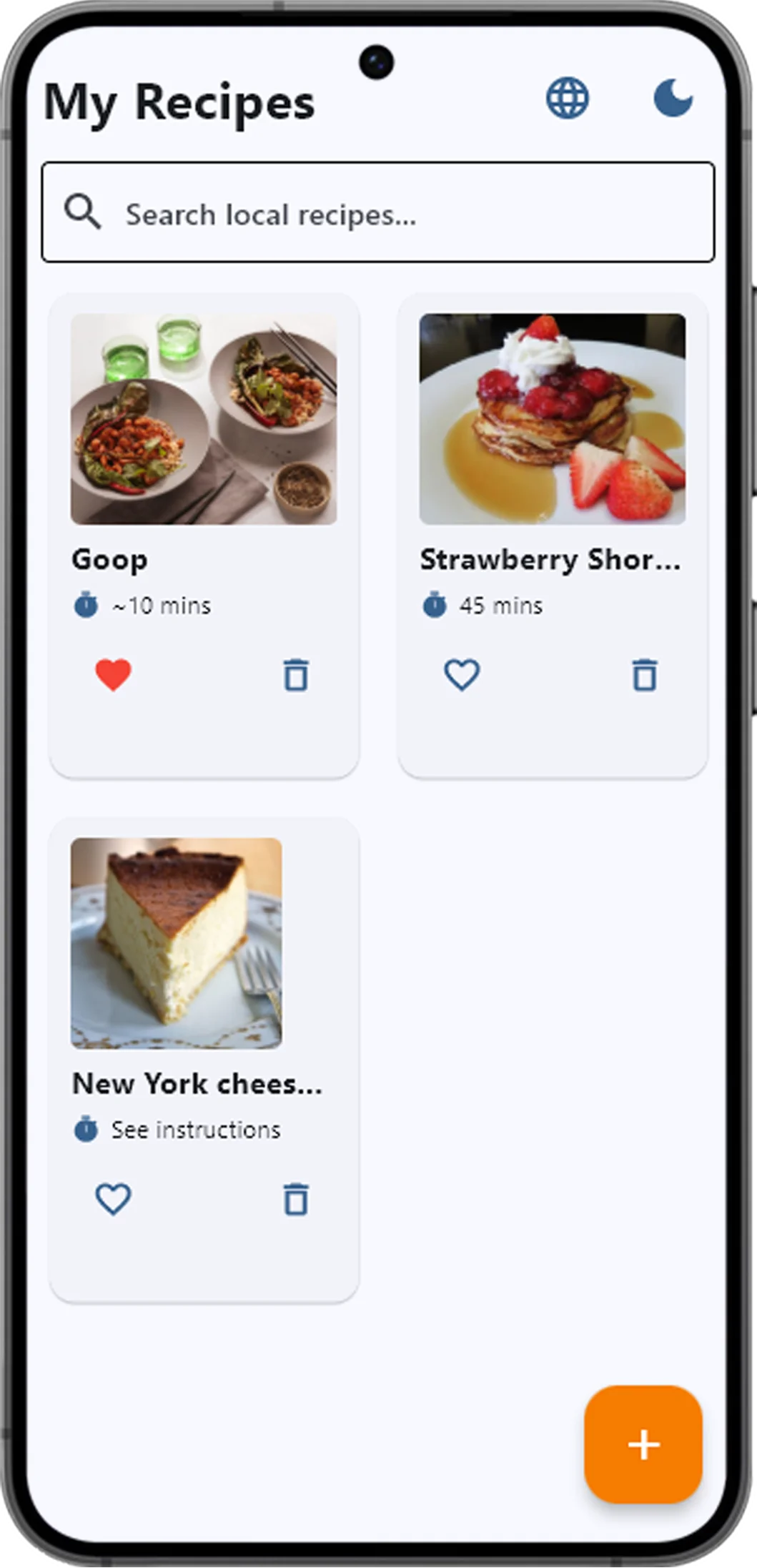
Phone — Recipe App
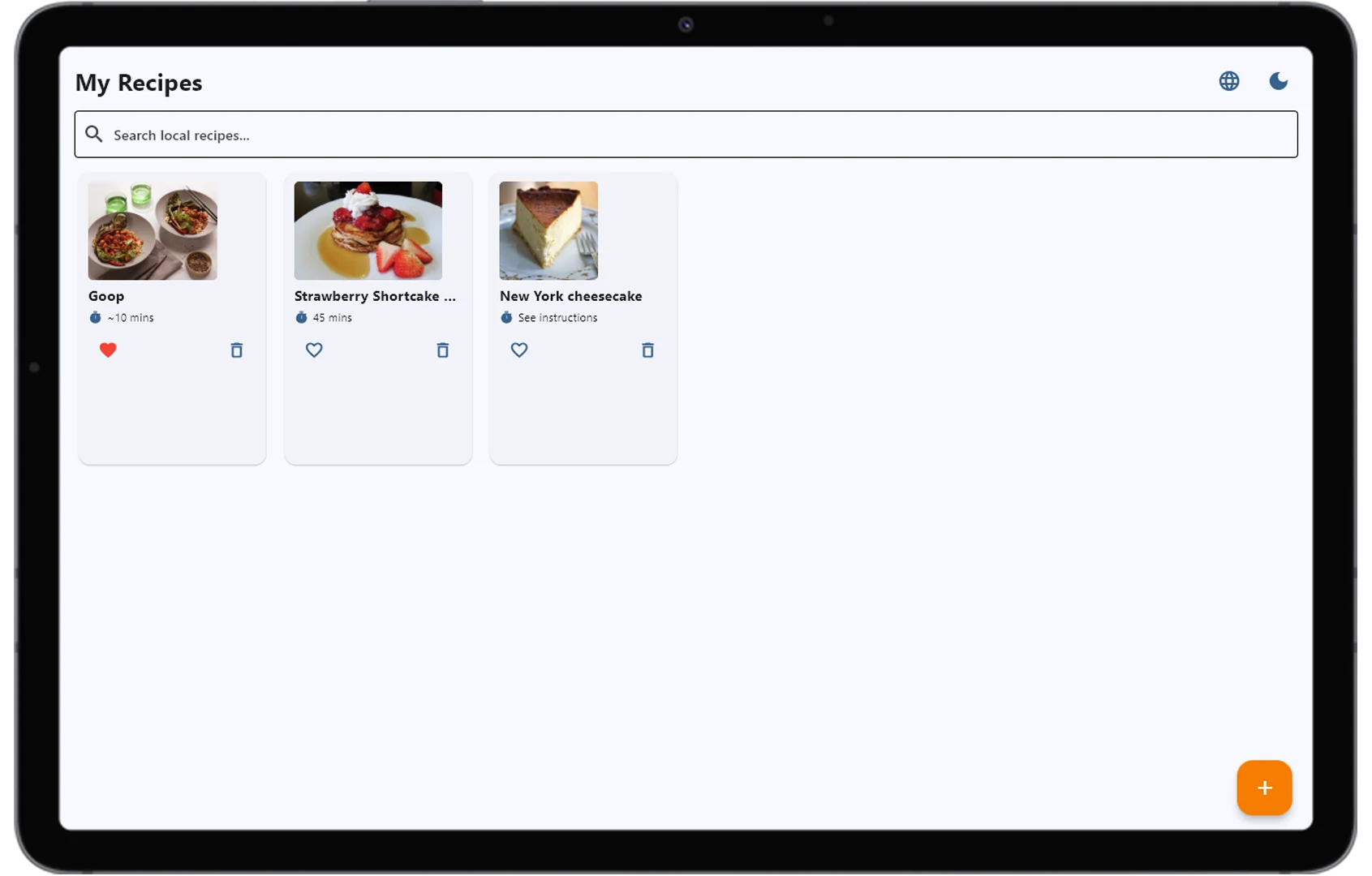
Tablet — Same App
DARK & LIGHT THEMES
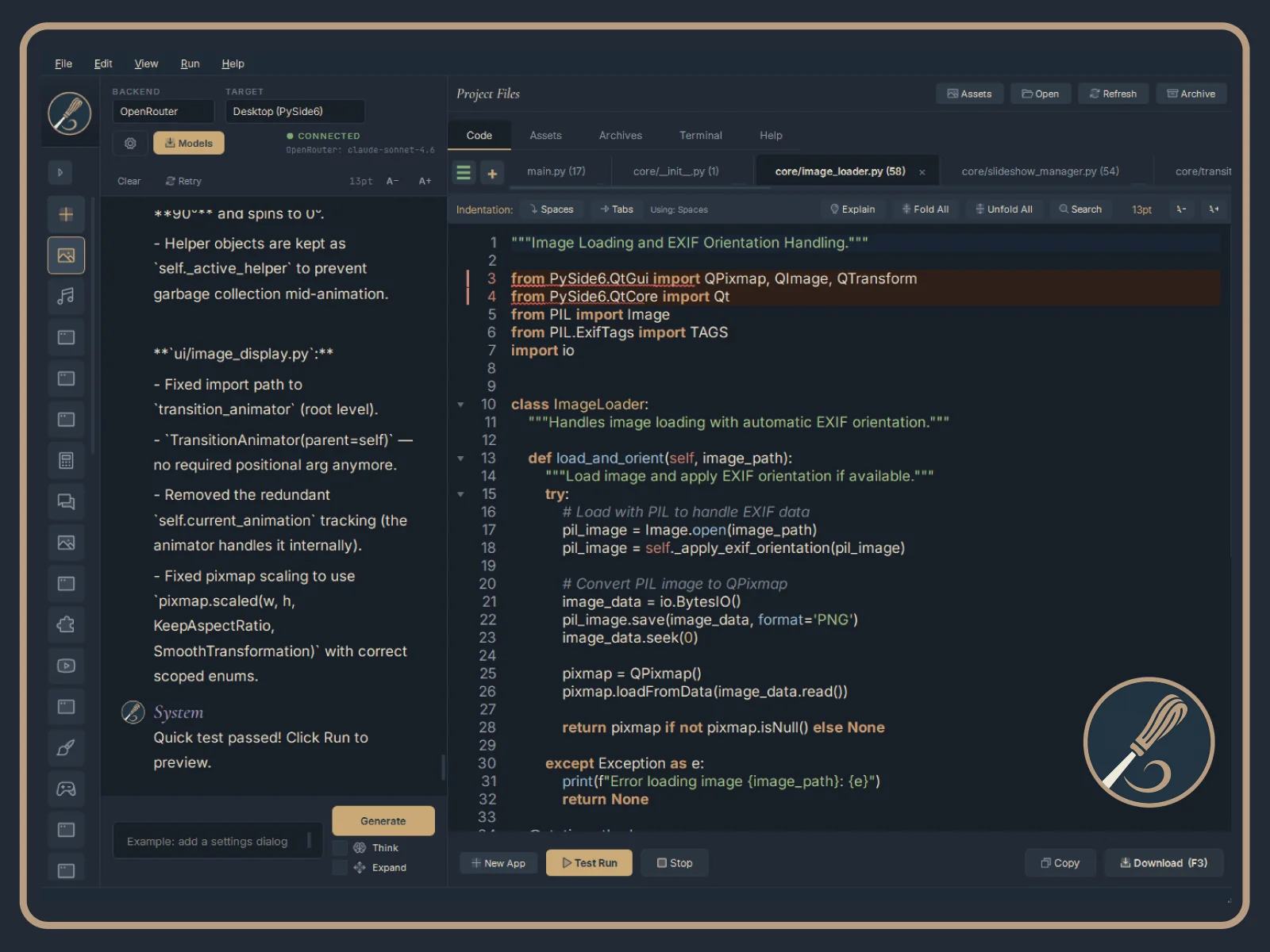
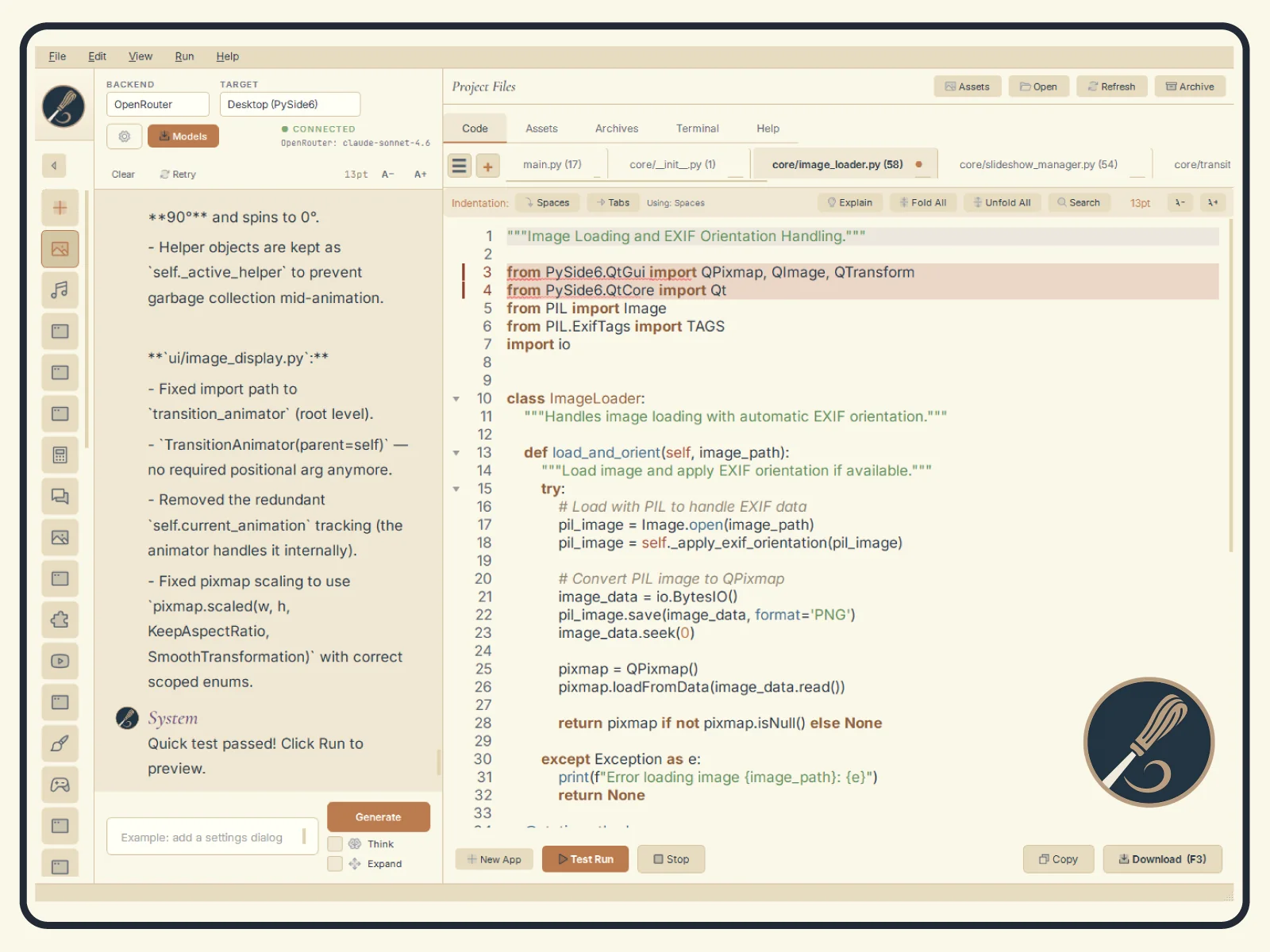
Cormorant Garamond and Inter typography, Phosphor Duotone icons throughout, and a refined navy, cream, tan, and copper palette. Dark and light themes are both polished, and flip cleanly without stale colors bleeding through.
DEMO
HOW IT WORKS
1. Start a new project or import existing Python code
2. Write code in the editor, or describe what you want and let AI generate it
3. Use the AI chat to ask questions, explain code, or iterate on changes
4. Run and test directly inside Whittl with built-in error detection
5. Build to .exe, AppImage, or Android APK with one click
New in v2.6.1: two fixes
- No more second window. In the installed version, a project with tests could open a second Whittl window and pause the AI for up to a minute. Your tests now run with Whittl's own Python.
- The AI remembers its answers. When it lists ideas in the chat and you say "do all of them", it now sees the list it just gave you.
What's New in v2.6.0: plugins, and one agent for every model
Whittl 2.6.0 does two big things. You can now add to Whittl itself: a tool the AI can call, a tab, a readout, a menu item. And every model, on every backend, now works on your project the way the best ones do: reading, editing, running and checking its own work. The top twenty:
- Plugins. A folder with a manifest and a Python file adds a tool the AI can call, a tab, a status bar readout, a dialog, a menu item, a skill, or code that runs when a generation starts or ends, a project opens, or you run your app.
- Whittl writes plugins too. File > New Project, pick Plugin, and describe it. Every plugin is checked before it runs, and plugins you add stay off until you switch them on.
- One agent for every model. Every backend gets the same tools, and what a model is given depends on what it can do. A capable model reads what it needs, makes targeted edits, runs your app and your tests, and fixes what it broke.
- Scripts for smaller models. A model that cannot call tools reliably writes short scripts that make the same edits through a small, safe API, so local and smaller models can work on a project too.
- The AI can look at your app. It opens a desktop app it built invisibly, reads the window, clicks buttons, and can show you a picture of it in the chat.
- Files stream into the editor as the AI writes them, and the chat names the model that actually answered.
- Stop stops. A model stuck repeating itself is ended instead of watched, and a turn that keeps reading without learning anything new is stopped.
- Honest about failures. An overloaded or failing provider is retried and named as the cause, and an empty reply is reported as an empty reply instead of a model that could not do the job.
- Your edits survive a failed turn. A turn that fails partway keeps the edits it made and is never regenerated over them, and a Stop or an error that cuts an edit short puts back the last version of the file that compiled.
- Edits made outside Whittl are kept. Change a project file in another editor while Whittl is open and your version is taken in; a new file you add joins the project instead of being deleted.
- Messages sent while Whittl works are kept. They are delivered along with their pictures and stay where you said them in the chat.
- Pictures in the chat. Several images per message, a thumbnail of each before you send, the full picture on a click, and they survive a restart. Models that cannot read images get a description from one that can.
- Know what you are paying. A running cost readout, a gauge for how full the model's context window is, and an optional Usage tab that charts spending by day and by model.
- Smarter OpenRouter routing. Whittl chooses the provider for a new session, refuses providers that admit running a model at reduced precision or cannot hold a full request, and keeps the session on one provider so its prompt cache stays warm.
- New models. Claude Opus 5.5, Sonnet 5.5 and Fable 5.1 on the Claude backend, Gemini 3.1 Pro on Gemini, and OpenRouter's current free models behind a new Free filter.
- New built-in skills, every rule checked on the real libraries first: QPainter drawing, named visual styles, games, tables, files and drag and drop, settings that survive a restart, serial ports, and 3D with Qt3D.
- Self-corrections teach. When the AI fixes its own mistake before finishing, the lesson goes into the auto-learned library, as auto-fixes already did.
- Reads outside the project when you ask. Point the AI at another folder and it reads it after you allow the folder once. It never changes anything there.
- A two-screen New Project dialog, and a welcome tour that ends with your chat name and picture.
- Windows and Linux. On Windows the AI's shell commands understand grep, head, tail, cat and wc; on Linux the AppImage runs on Ubuntu 22.04, Linux Mint 21, Debian 12 and newer.
Everything else in v2.6.0, and every earlier release, in the full release notes →
Windows users on v2.4.1: please re-download
If Help → Check for Updates in v2.4.1 says it could not check for updates, that is not your connection. The download server moved to a newer certificate chain that the v2.4.1 updater's built-in trust store cannot verify on some Windows machines. Nothing in v2.4.1 can be changed at this point.
Download the current installer from the link in your purchase email and run it over your existing install. Projects, settings, skills and API keys carry forward unchanged. From v2.5.0 on, the updater verifies with its own certificate bundle, so in-app updates work again.
Linux users are not affected: the AppImage updates in-app as before.
FAQ
Is Whittl a one-time purchase?
Yes. $20 CAD one-time with no subscription, no message limits, and no monthly fees.
What AI providers does Whittl support?
Claude, Gemini, DeepSeek, OpenRouter (200+ models including free ones), and Ollama for fully offline use. Bring your own API key.
Can Whittl build Android apps?
Yes, though Android builds are currently experimental. One-click APK builds with no Android Studio or Java required. Desktop builds are stable and production-ready.
Do I own the code Whittl generates?
Yes. All code is saved as real .py files on disk. Open in any editor, version with git, own forever.
Can I extend Whittl with plugins?
Yes. A plugin is a folder with a small manifest and a Python file. It can add a tool the AI calls, a tab, a status bar readout, a menu item or a skill. Whittl can write one for you, and plugins you write are yours to share or sell under any license.
YOU MIGHT ALSO LIKE

Hybrid pixel and vector animation tool for game assets and illustration.
Fast, lightweight RAW image editor for photographers.