
Welcome to RedLight
RedLight is a powerful yet lightweight RAW image editor designed for photographers, artists, and hobbyists who need a simple, non-destructive workflow. Whether you’re adjusting exposure, fine-tuning colors, or batch exporting images, RedLight gives you full control without the complexity of bloated software.
Key Features:
- Non-Destructive Editing – Make changes without altering your original RAW files.
- Supports Multiple RAW Formats – Works with DNG, NEF, CR2, ARW, and more.
- Advanced Color Adjustments – Fine-tune exposure, white balance, highlights, and shadows.
- Batch Exporting – Speed up your workflow by processing multiple images at once.
- Simple, Intuitive Interface – Designed for ease of use, without unnecessary clutter.
- Lightweight & Fast – Runs efficiently without hogging system resources.
Batch edit and export
Batch edit and export your raw images. Choose to edit and export one image, selection or the entire collection.
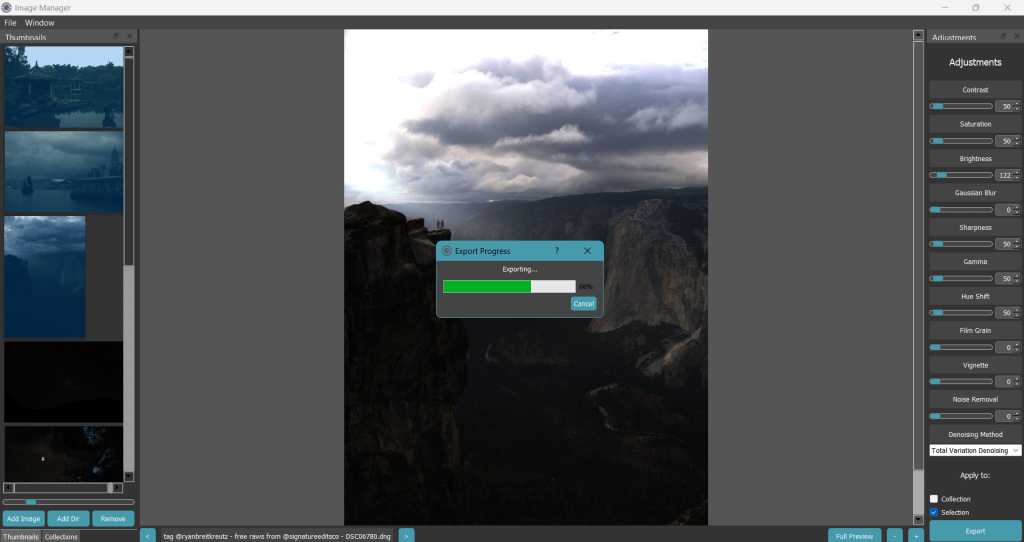
Uses multiple processing cores to speed up editing and exporting.
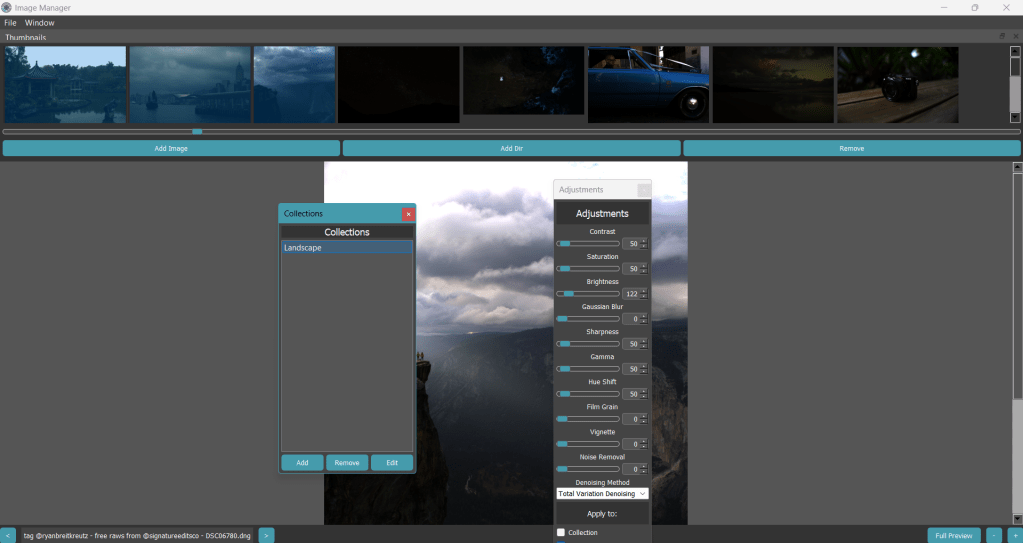
Modularity
Modular design allows users to tear off panels resizing and position them to help with their workflows. Making the most of multi-monitor setups.
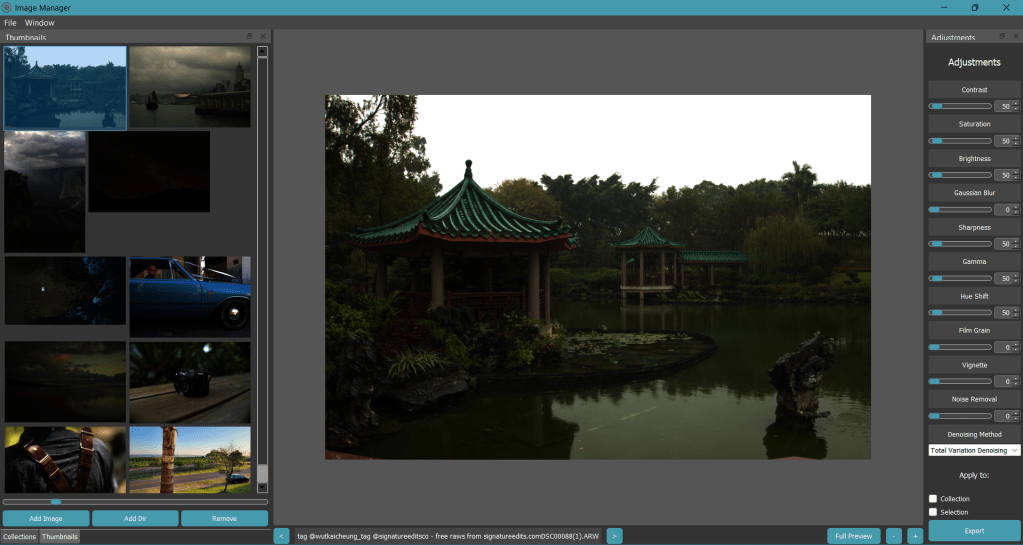
Non Destructive Editing
Leave the originals alone and undo any adjustments easily
It probably supports it
Supporting over 35+ raw file types it will probably read your collection.
.cr2,.arw,.dng,.ari,.cr3,.crw,.cs1,.bay,.eip,.erf,.cxi,.raf,.gpr,.3fr,.fff,.kc2,.dcr,.k25,.kdc,.mos,.rwl,.mfw,.mef,.mdc,.mrw,.nef,.nrw,.orf,.rw2,.pef,.iiq,.raw,.rwz,.j6i,.srw,.x3f,.sr2,.srf
Make it your own
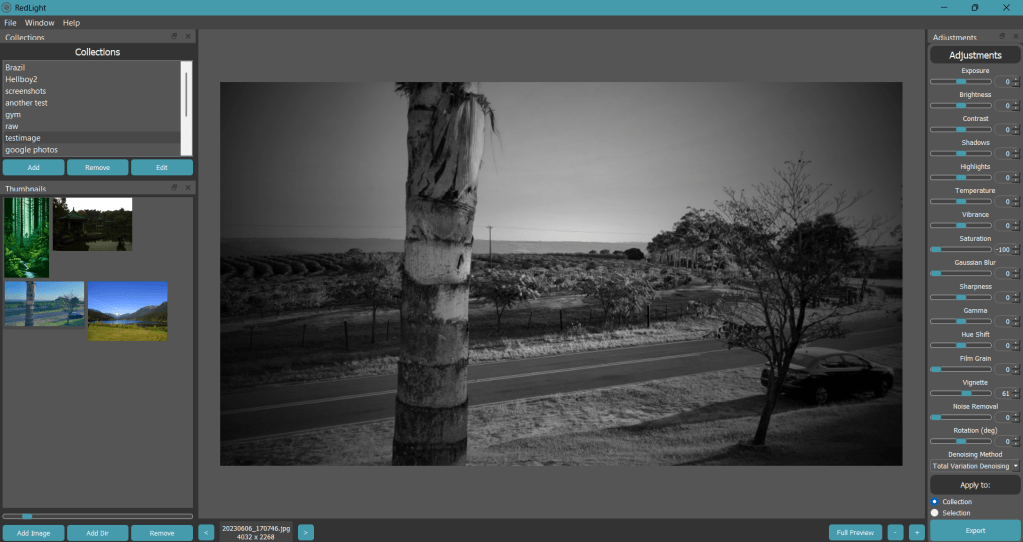
RedLight’s interface is designed for personalization. Users can toggle between dark and light modes and choose accent colors from preset options or via a custom color picker. The sleek design, highlighted by rounded panels, creates a modern and user-friendly experience.
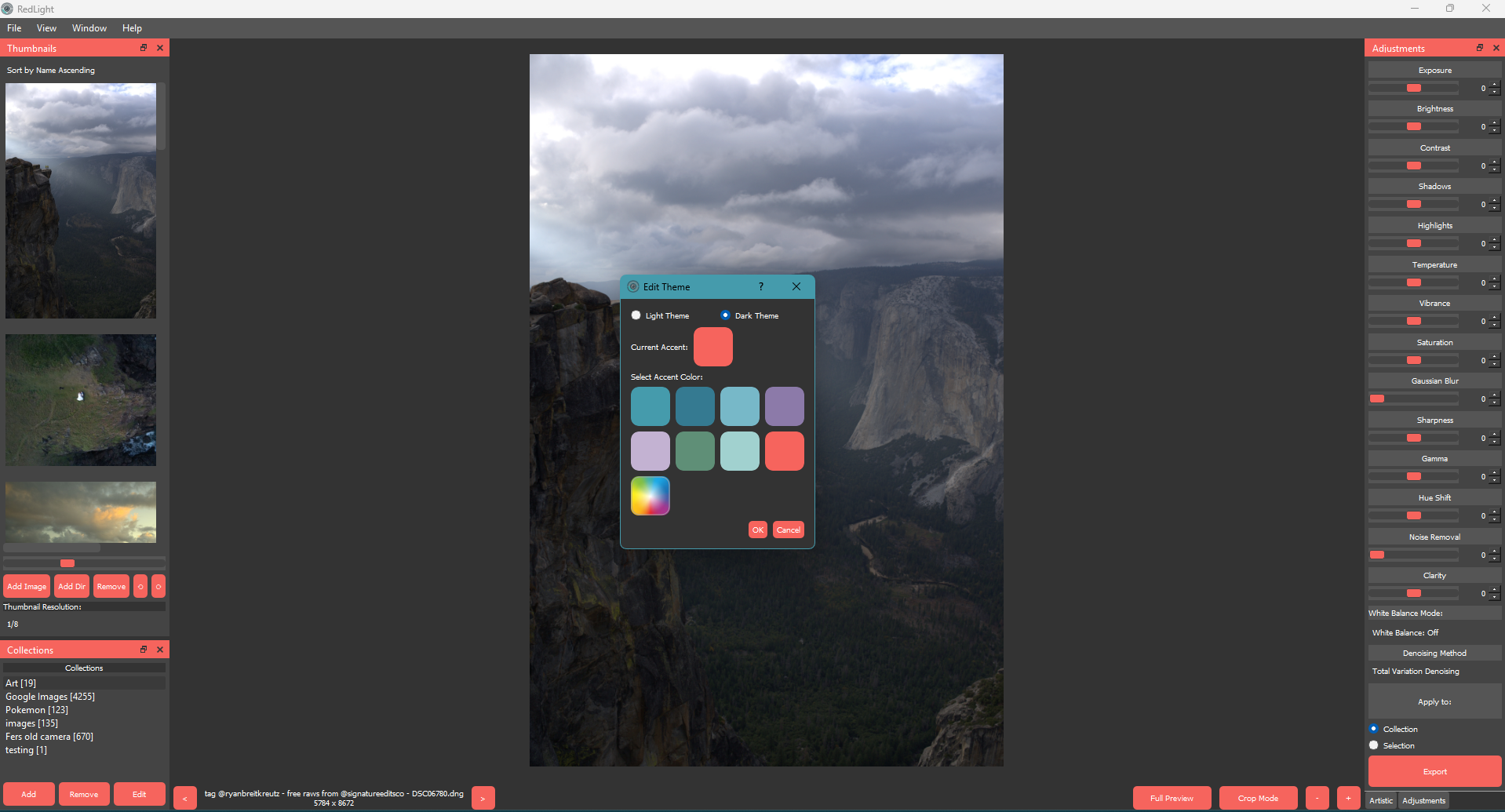
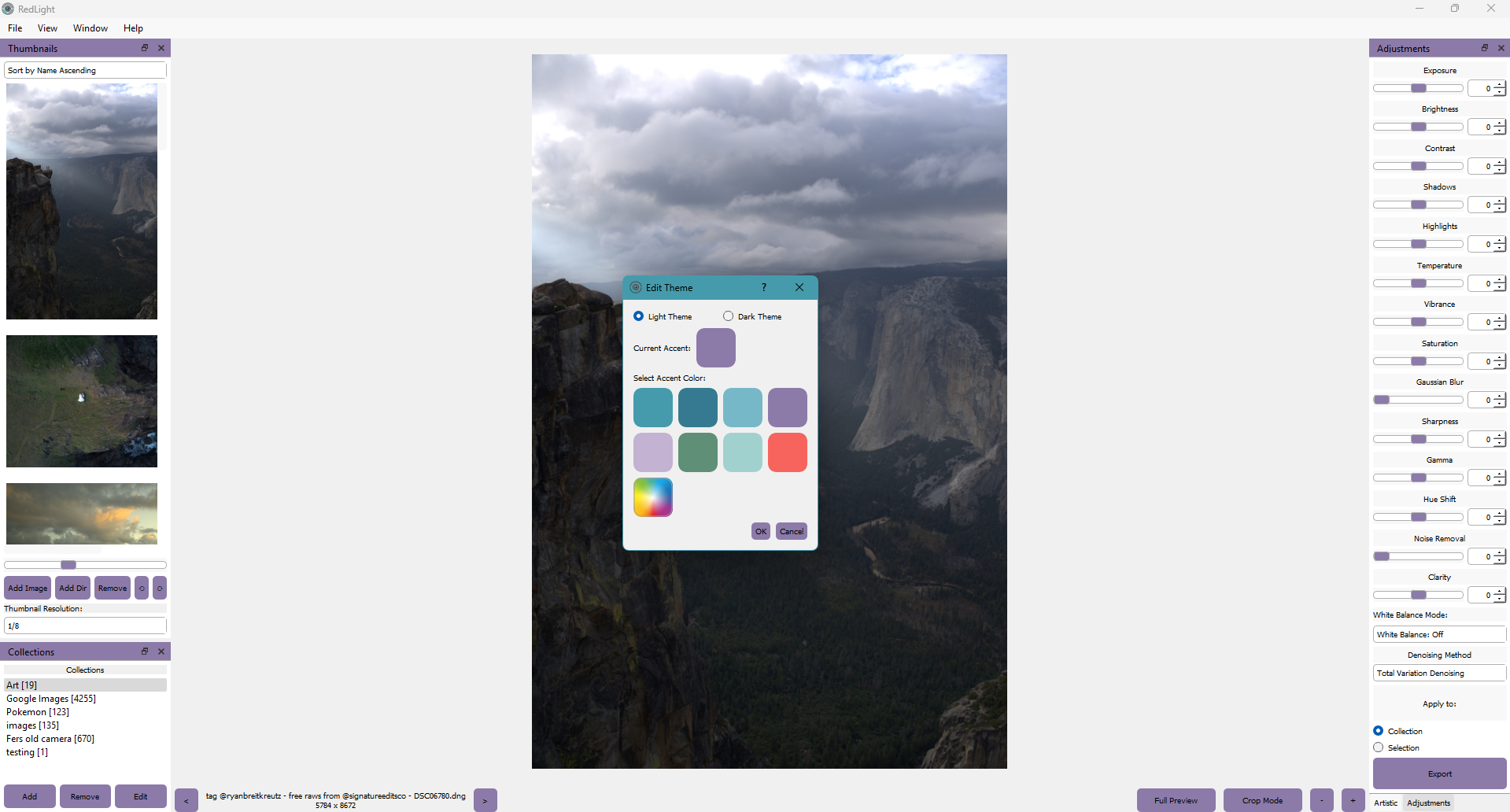
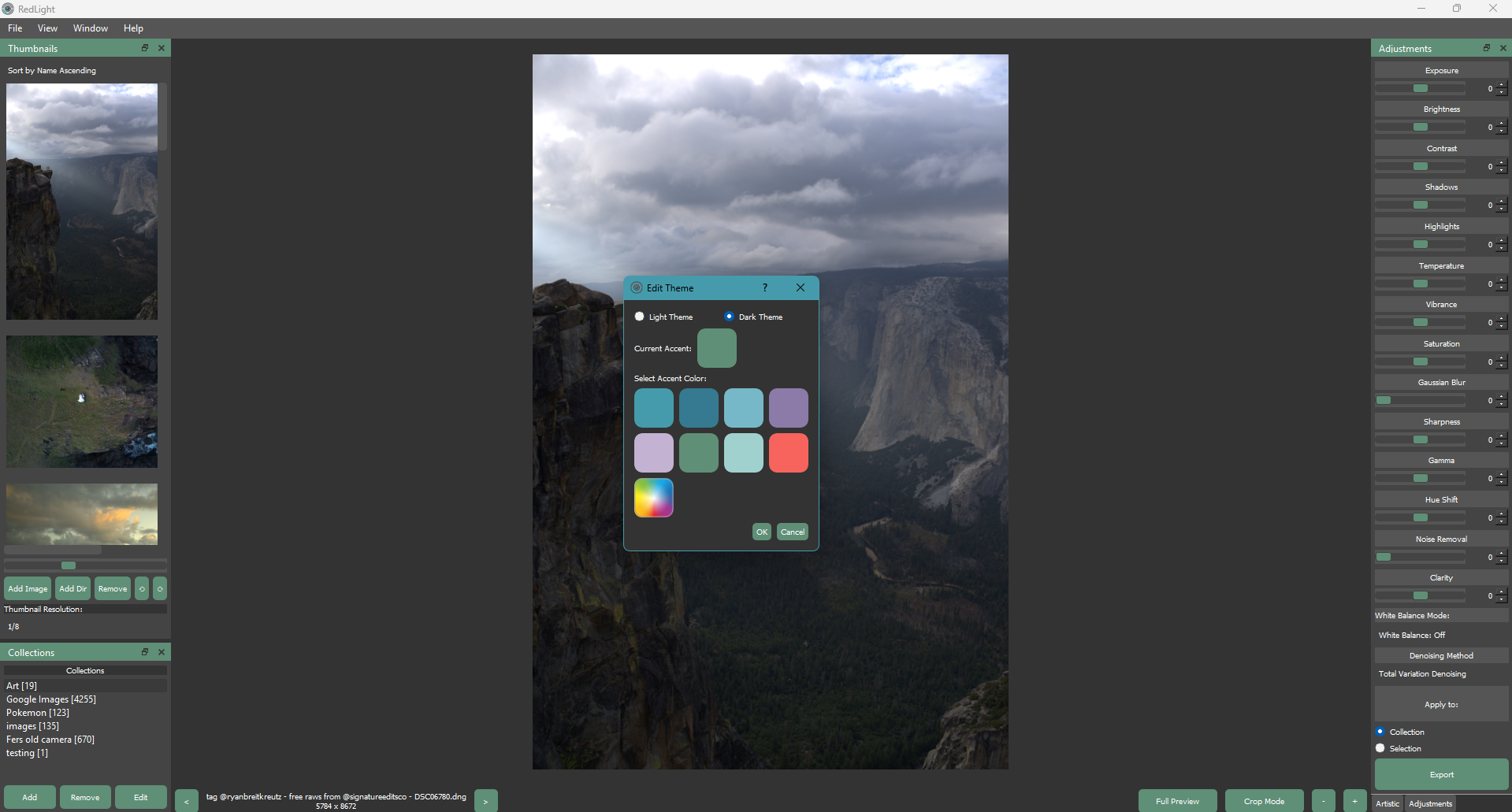
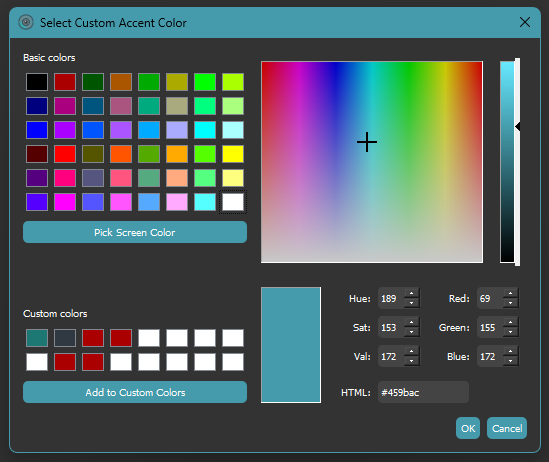
All changes to the interface are saved between sessions, meaning that color you love will be there when you get back.
– Upcoming Features –
- HSL Panel – Per-color Hue, Saturation, and Luminance control
- Target Adjustment Tool – Click on your image to adjust specific colors
– What’s New –
RedLight v1.4.0
HSL Panel – Per-Color Adjustments
New HSL (Hue/Saturation/Luminance) panel for selective color control:
Features
- Tabbed interface: Separate tabs for Hue, Saturation, and Luminance adjustments
- 8 color ranges: Red, Orange, Yellow, Green, Aqua, Blue, Purple, Magenta
- Color-coded indicators: Visual dots showing which color each slider affects
- Smooth transitions: Changes blend naturally between adjacent color ranges
- Per-image storage: HSL values saved with each image’s adjustments
- Collapsible panel: Located in right sidebar under “HSL / Color”
- Reset HSL button: Quickly reset all HSL adjustments without affecting other edits
- Eyedropper Tool (Smart Color Picker)
- Click “💧 Sample” button in the HSL panel
- Click anywhere on the image to sample a color
- Smart weighting: Automatically detects which color ranges affect the sampled color
- Shows percentage influence for each relevant color (e.g., “Hue 22° → Orange 47%, Yellow 53%”)
- Highlights affected sliders with gold background
- Drag to adjust: After clicking, drag up/down to adjust the highlighted sliders
- Drag up = increase value, drag down = decrease value
- Multiple sliders move proportionally by their weight
- Release mouse to finalize the adjustment
- Works across color boundaries – teal highlights both Green and Aqua
- Keyboard Shortcuts
- B – Toggle Before/After comparison mode
- C – Toggle Crop mode
- Bottom Bar Fixes
- Fixed navigation buttons (◀ ▶) not displaying correctly
- Fixed zoom buttons (− +) not displaying correctly
- Added tooltips to all bottom bar buttons
- Denoise Panel Reorganization
- Moved “Noise Reduction” slider from Detail section to Denoise section
- Slider and method dropdown now grouped together for better workflow
- RAW Processing
- Automatic brightness adjustment for all camera models via libraw
- Removed manual per-format brightness values – now works correctly for all Sony, Canon, Nikon, Fuji cameras etc.
- Fixed case-sensitivity issue with file extensions on Linux (.ARW vs .arw)
- Bug Fixes
- Fixed uppercase RAW file extensions not showing in file dialog on Linux
- Fixed inconsistent brightness across different Sony camera models
- Fixed eyedropper drag not working when image is zoomed in (pan gesture conflict)
- Fixed Magenta/Red HSL hue wrap-around producing incorrect color adjustments
- Fixed thumbnail not updating when brightness or other adjustments are applied
- Fixed main window garbage collection risk on startup
- Fixed dual full-resolution cache causing stale data and doubled memory usage (consolidated into single cache)
- Fixed undefined
image_labelattribute crash in crop mode - Fixed SQL injection vulnerability in database column name handling
- Fixed SQLite connection leaks from thumbnail loading threads
- Fixed histogram variable shadowing causing incorrect max value calculation
- Fixed watermark crash when overlay positioned at negative coordinates
- Fixed watermark crash on grayscale images
- Fixed QImage use-after-free in curve editor preview
- Fixed division by zero in tone curve when gamma values reach zero
- Fixed console panel crash from cross-thread signal emission
- Fixed file extension matching using wrong format (missing dots)
- Fixed metadata cache race conditions with proper thread locking
- Fixed crop apply crash when no image is loaded (bounds check)
- Fixed export cancel button not checking if worker is running
- Fixed preview worker shutdown hanging indefinitely (added 3s timeout)
- Fixed SYCL GPU sync using wrong queue reference
- Fixed eyedropper performing expensive QImage conversion on every mouse move (now cached)
- Stability & Code Quality
- Replaced all bare
except:clauses withexcept Exception:across the codebase - Added input validation for None/empty/grayscale images in auto-adjust
- Removed fake color space conversion that applied incorrect multipliers
- Upgraded thumbnail adjustment logging from debug to warning level for better diagnostics
- Added proper file protocol methods to console output stream
- Fixed memory leak in support dialog label cleanup
Older release notes can be found here
Disclaimer
This product is in active development most of the main features are working but expect the potential for crashes and performance issues. These things are being worked on for future releases.
Downloads
Get a copy from the link below. There you can download the RedLight app and its official documentation.
Get the latest version HERE
For previous builds go HERE


 Lynden Eftoda